
Make a game with AI: describe it, play it, change it
To make a game with AI, you tell an AI agent what game you want, in plain words, and it builds the game for you: it writes the code, runs it, and fixes what breaks. Below are the four steps, using Shiny Gen, an AI game maker that works in your browser and on iPhone and Android.
Free to start. Nothing to install: it runs in the browser.
Make a game with AI in four steps
- Describe the game. Open shinygen.ai/play (or the app), press +, choose New, and pick an engine. Godot is the usual first choice. Then open the Agent tab and write what you want, like a message to a friend who builds games.
- The AI builds it. The agent writes the code, runs the game, takes screenshots, presses the controls, reads the errors, and fixes them. If your idea needs pictures, 3D models, animations, sound, or music, it can generate those too, and it tells you what that costs in gems first.
- Play it and change it in chat. Try the game, then say what to change: faster enemies, a second level, a different color for the sky. You can also edit the art and code by hand whenever you like, which is free.
- Share it. Press Share for a link that opens in any browser. Choose play only, or play and duplicate so friends can remix your game into their own copy.
Write a first message that works
The AI builds what you ask for, so a clear first message saves a lot of back and forth. Say what kind of game it is, what the player does, how they control it, how a round ends, and the look if you care. For example:
Start small, get it running, then add one thing at a time. A game that works with one mechanic is easier to grow than a huge request that half works.
What the AI does while it builds
It tests its own work
The agent does not hand you code and hope. It runs the game it just made, looks at screenshots, presses the buttons a player would press, and reads the runtime errors. When something is broken it fixes it and runs again.
It makes the extras
Sprites, backgrounds, 3D models, animations, sound effects, and music can all be generated and edited inside the app, so a game does not stall because you have no art.
Games made this way
Each of these is in the free catalogue. You can play one without an account, then remix it into your own copy.
- Godot, 3D
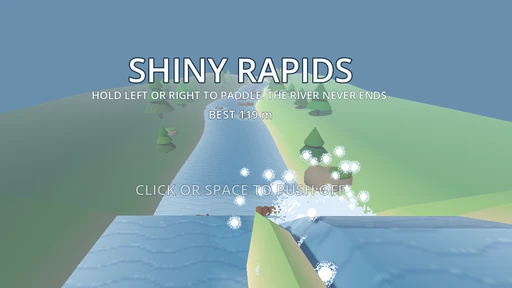
Shiny Rapids
Hold the left or right side of the screen to paddle a raft down a river that never ends.
 Touch game
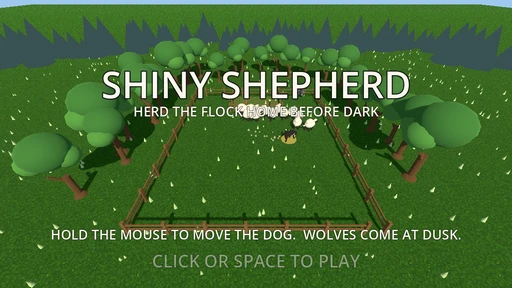
Shiny Shepherd
Drag anywhere and your dog runs to your finger. Herd the flock into the pen before night falls.
 Sports
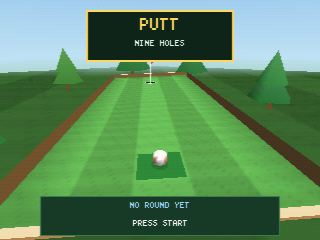
Putt
Mini golf across nine holes, with rails, a bunker, a ramp, and a bridge in the way.
 Godot
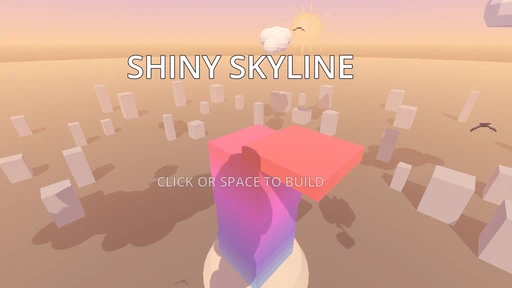
Shiny Skyline
Build a tower one floor at a time with a single tap.
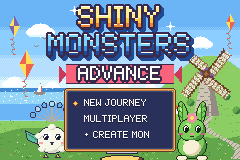 GBA engine
Shiny Monsters Advance
A monster-collecting RPG with a town, text boxes, and monster matches.
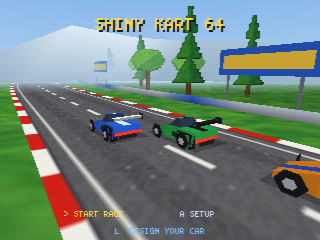 N64 engine
Shiny Kart 64
A kart racer with laps, a timer, and a track map.
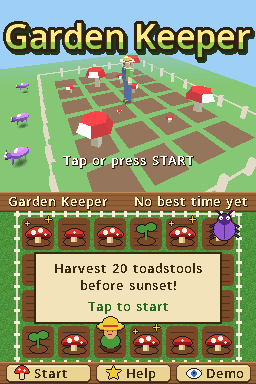 DS engine
Garden Keeper
A two-screen game: tap plots on the touch screen to sow and pick toadstools before sunset.
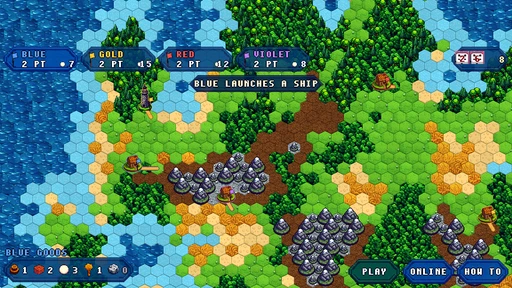 Strategy
Hexhaven
Four houses settle an island of tiny hexes. Roll, build, trade, and reach 12 points.
Which engine should you pick?
| If you want | Pick |
|---|---|
| A 2D or 3D game that plays in the browser and the apps, in code you can read | Godot |
| A Game Boy Color or Game Boy Advance style game | GBC or GBA |
| A 3D or two-screen retro-style game | N64, GameCube, or DS |
A new game starts empty on purpose: the agent builds what you describe. The details are on the six engines page.
Make a game with AI on your phone
The iPhone, iPad, and Android apps have the same editor and agent, in 17 languages. In the apps you can also attach a photo from your library or camera to the agent chat as a reference for the look you want.


Questions
Can I really make a game with AI without knowing how to code?
Yes. You write what the game is in plain words and the AI agent writes the code, runs the game, and fixes errors. You never have to open the code, though it is there if you are curious.
How long does it take to make a game with AI?
A first playable version usually appears while you watch, because the agent builds and tests as it goes. How long a polished game takes depends on how many changes you ask for. Small, specific requests work better than long lists.
Which device do I need?
A modern web browser is enough: open shinygen.ai/play and nothing else is installed. There are also iPhone, iPad, and Android apps with the same editor and agent.
What kinds of games can the AI make?
Two and three-dimensional games on the Godot engine, plus games for five retro-style engines (Game Boy Advance, Game Boy Color, N64, GameCube, and DS). The retro engines work within the limits of those consoles.
Can I change the game after the AI builds it?
Yes, that is the main loop. Keep talking to the agent ("make the jump higher", "add a second level") or edit the art, code, and world by hand. If something looks wrong, say what you saw and the agent can reproduce it by playing.
How do I share a game I made?
Press Share to get a link anyone can open in a browser. You choose between play only and play and duplicate. Sharing is free.
Does it cost anything to make a game with AI?
Making, playing, and sharing are free, and AI generation uses gems. New accounts get free gems and a few free AI turns, then one free AI prompt a day. Gem packs start at $2.99. Taking a game out as a file (a web zip or a retro ROM) needs any one purchase.
Ready to make your game?
Open Shiny Gen, press +, and describe the first thing you want to play.